Internet Service Provider
info@deelko.com
+88 01915 871 644
Mirpur-6, Dhaka Bangladesh
Home
About
Pricing
Pay Bill
Coverage Area
Live TV
FTP Server
Hoichoi
Bioscope
Live TV
Gallery
Video Gallery
Image Gallery
Contact Us
Home
About
Pricing
Pay Bill
Coverage Area
Live TV
FTP Server
Hoichoi
Bioscope
Live TV
Gallery
Video Gallery
Image Gallery
Contact Us
+88 01915 871 644
Pay Bill
Home
>
Pay Bill
Pay Bill
Check Out
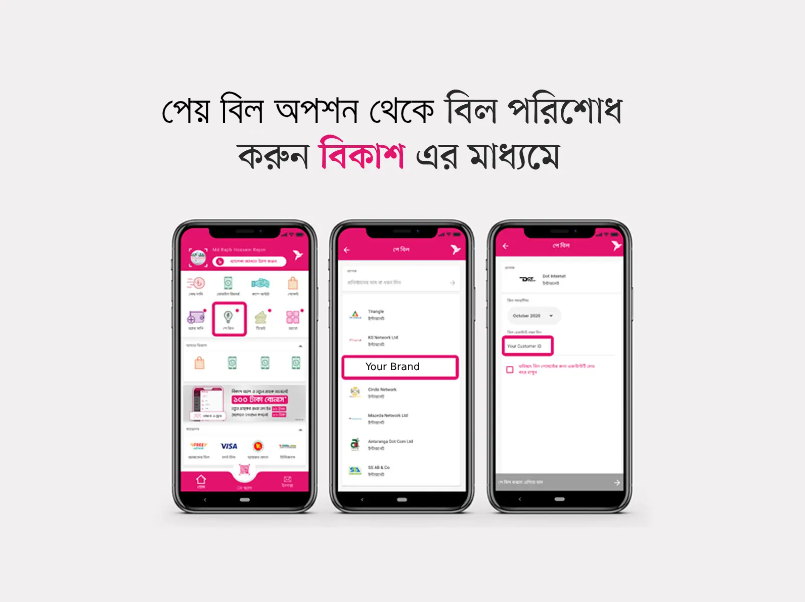
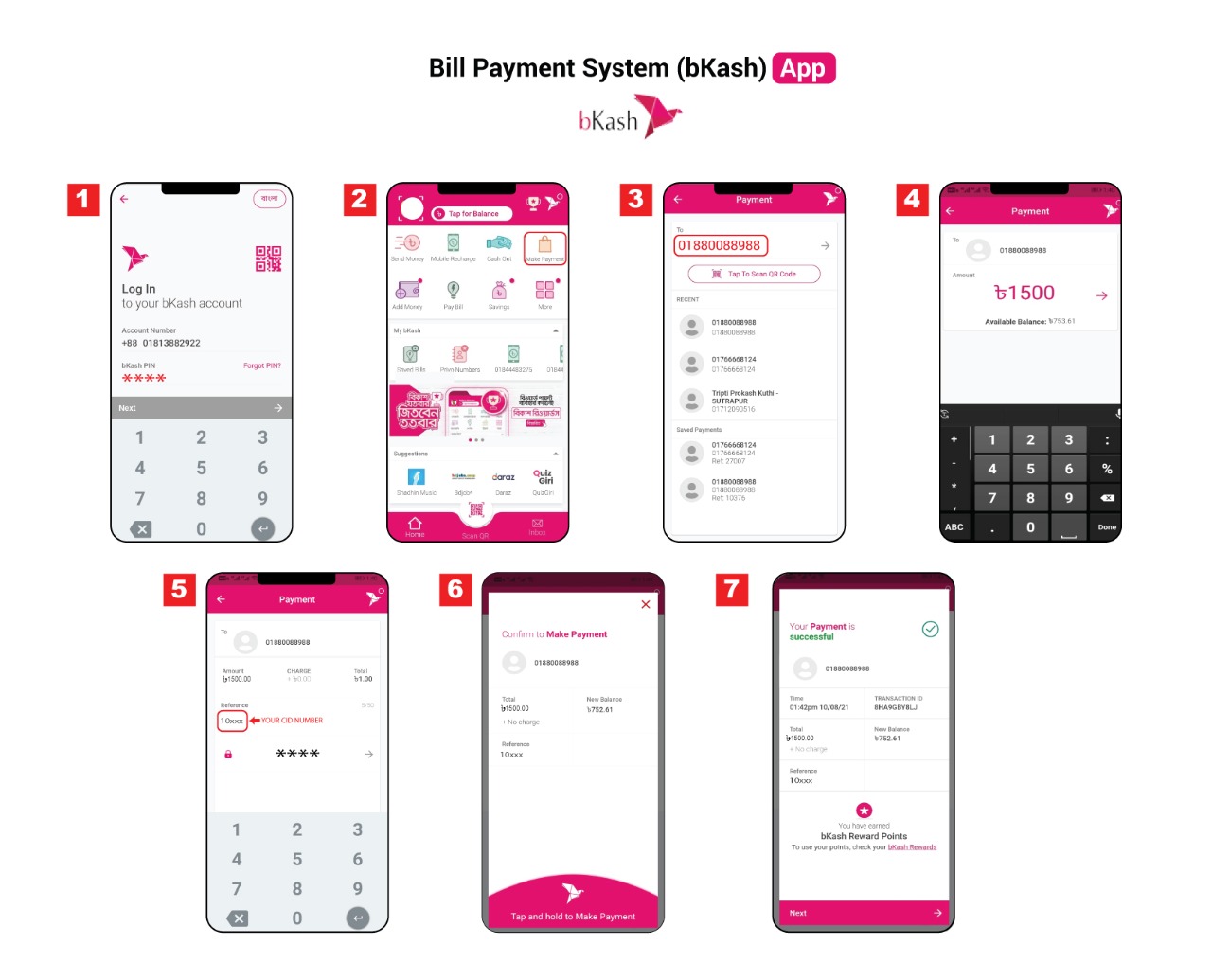
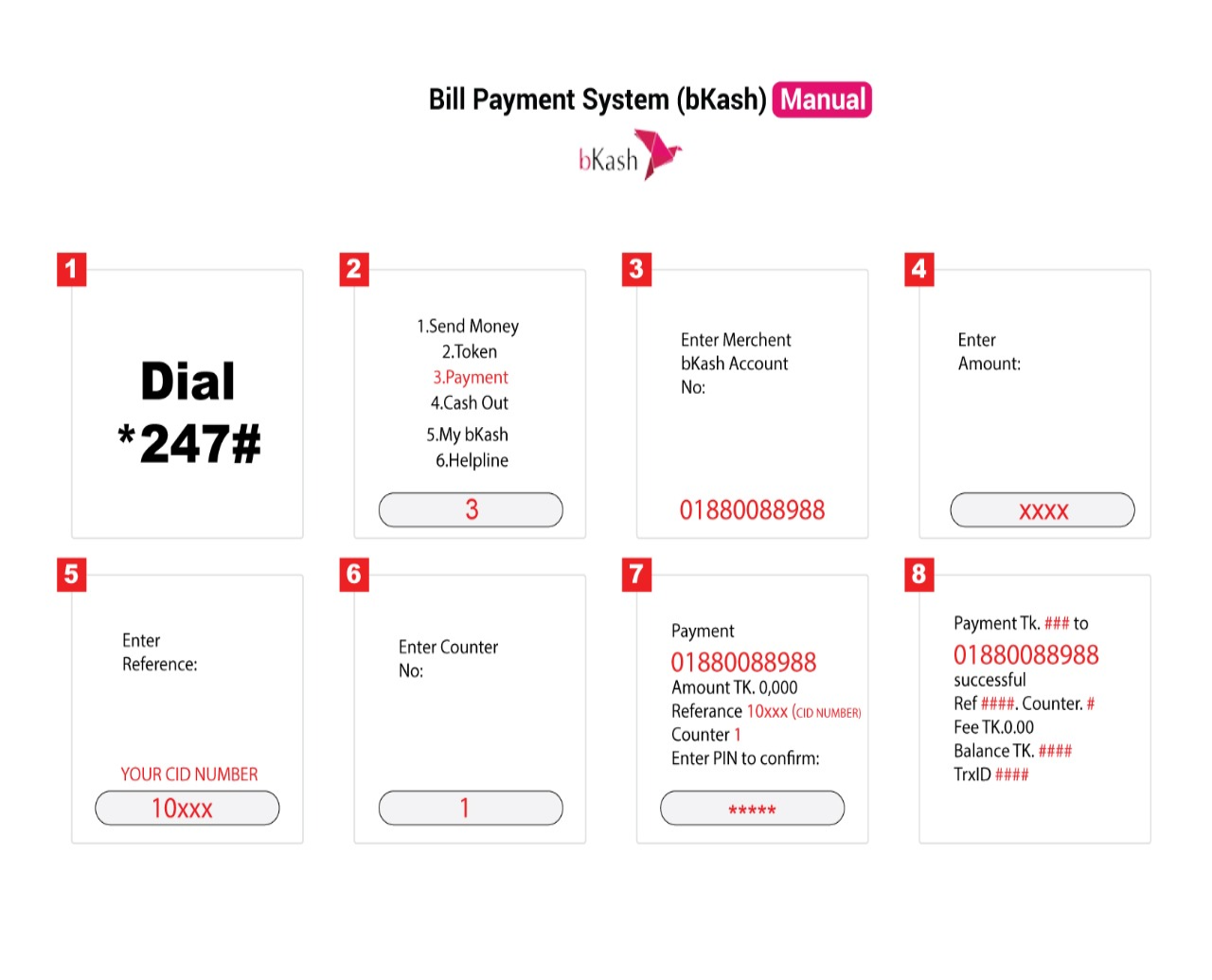
Pay Bill through
BKash
Login to your
bKash
account with your account’s PIN number and tap on
“পে বিল”
option.
In
“পে বিল”
option you’ll find
“Company Name”
. Simply tap on it and follow the next step.
Now select your internet billing timeline in
“বিল সময়সীমা”
box & input your customer in
“বিল একাউন্ট নম্বর দিন”
box.
If you want to save the payment info for quick payment, you can simple tick the checkbox
“ভবিষ্যৎ বিল পেমেন্টের জন্য একাউন্টটি সেভ করে রাখুন”
.
After that, tap the
“পে বিল করতে এগিয়ে যান”
button & hold the pay button for a few second. You’re done!
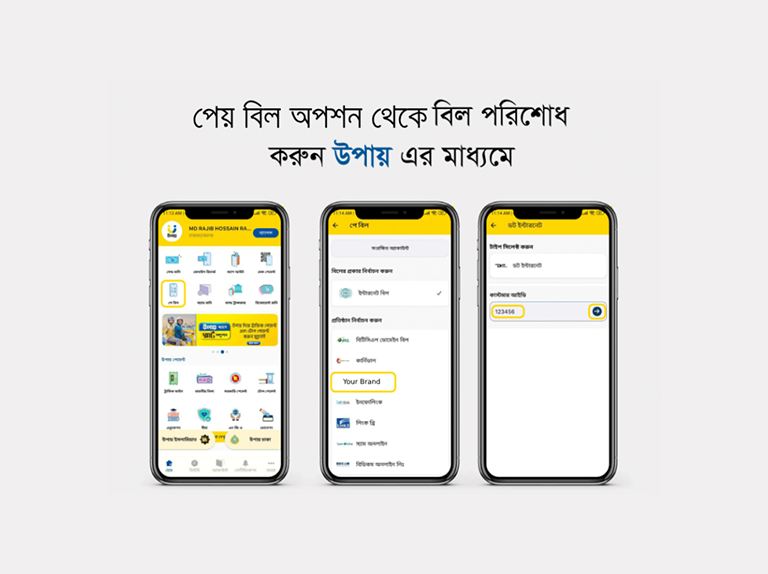
Pay Bill through
Upay
Login to your
Upay
account with your account’s PIN number and tap on
“পে বিল”
option.
In
“পে বিল”
option you’ll find
“Company Name”
. Simply tap on it and follow the next step.
Now select your internet billing timeline in
“বিল সময়সীমা”
box & input your customer in
“বিল একাউন্ট নম্বর দিন”
box.
If you want to save the payment info for quick payment, you can simple tick the checkbox
“ভবিষ্যৎ বিল পেমেন্টের জন্য একাউন্টটি সেভ করে রাখুন”
.
After that, tap the
“পে বিল করতে এগিয়ে যান”
button & hold the pay button for a few second. You’re done!
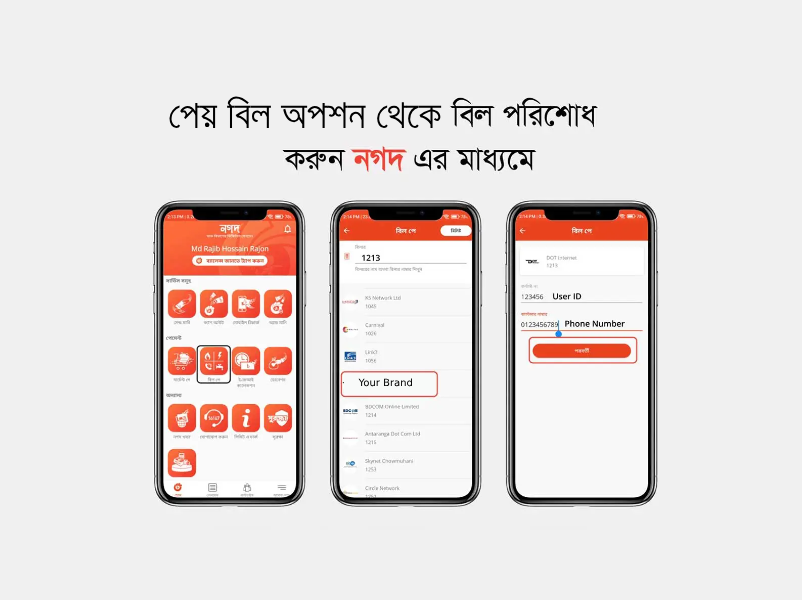
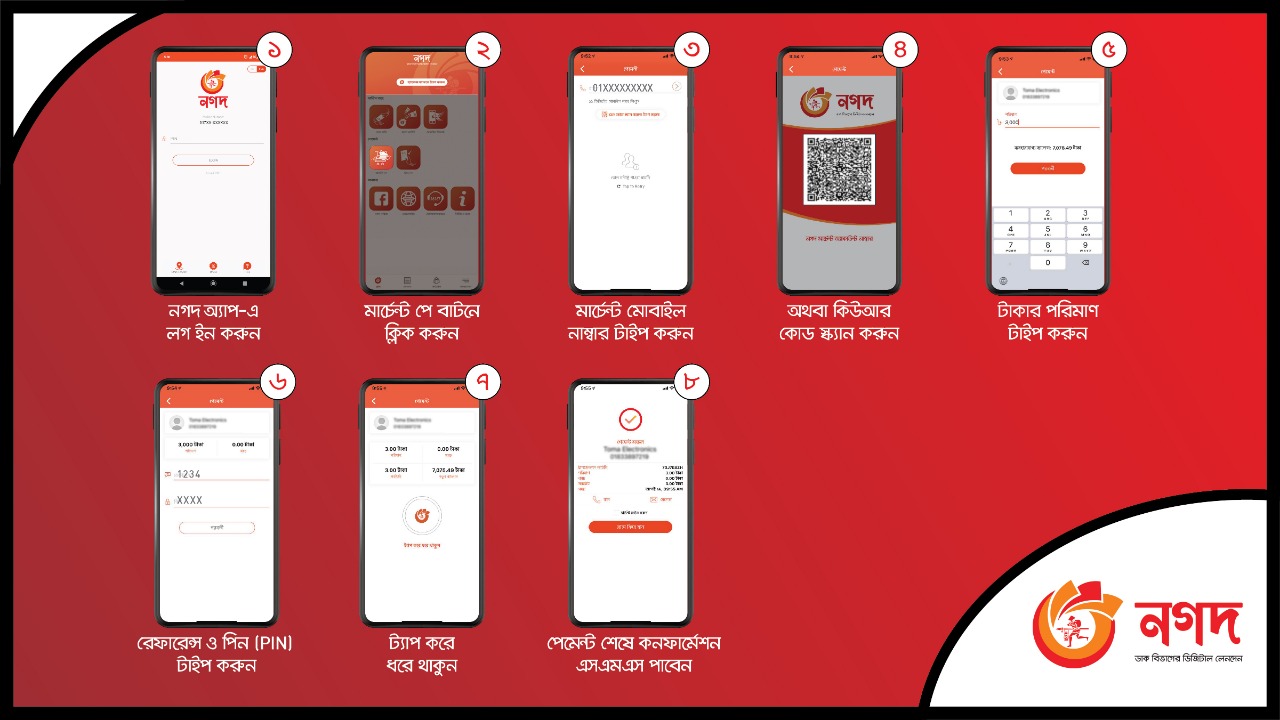
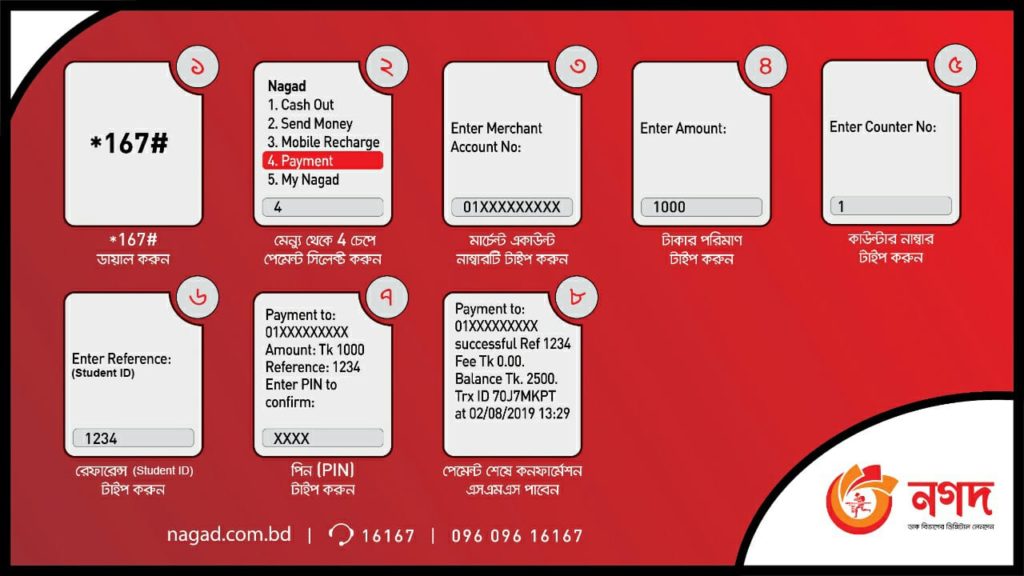
Pay Bill through
Nagad
Login to your
Nagad
account with your account’s PIN number and tap on
“পে বিল”
option.
In
“পে বিল”
option you’ll find
“Company Name”
. Simply tap on it and follow the next step.
Now select your internet billing timeline in
“বিল সময়সীমা”
box & input your customer in
“বিল একাউন্ট নম্বর দিন”
box.
If you want to save the payment info for quick payment, you can simple tick the checkbox
“ভবিষ্যৎ বিল পেমেন্টের জন্য একাউন্টটি সেভ করে রাখুন”
.
After that, tap the
“পে বিল করতে এগিয়ে যান”
button & hold the pay button for a few second. You’re done!
Home
About
Pricing
Pay Bill
Coverage Area
Live TV
FTP Server
Hoichoi
Bioscope
Live TV
Gallery
Video Gallery
Image Gallery
Contact Us
Home
About
Pricing
Pay Bill
Coverage Area
Live TV
FTP Server
Hoichoi
Bioscope
Live TV
Gallery
Video Gallery
Image Gallery
Contact Us
+88 01915 871 644